Easy to use
- From NPM or from a CDN
- Wordpress plugin available
- Online tool to configure your presentation
- Embed your presentation in an IFrame
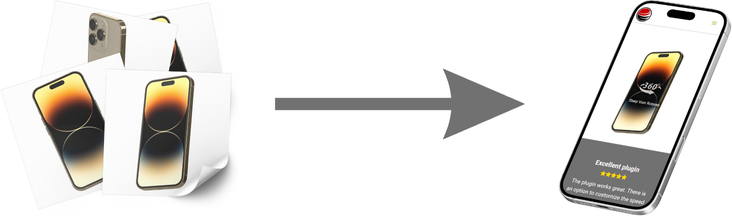
On a regular base we introduce new features. Together with other developers we are always looking for better performance and integrations. Need help with your integration? contact us.
Start with a single product and grow to a full catalog. The viewer stays fast, flexible, and easy to manage as your collection expands.
A license is a one time payment and bound to a single domain. If you use the latest version from the CDN or NPM you receive new features and bugfixes automatically.
| Free | $69 | |
|---|---|---|
| Number of 360 presentations | unlimited | unlimited |
| Number of views | unlimited | unlimited |
| Number of images | 2 to 365 | 2 to 365 |
| Unlimited Storage | use your own | use your own |
| Tech Support | ||
| No free version icon | ||
| Multiple 360 presentations on the same page | ||
| Zoom option | ||
| Free Wordpress plugin | ||
| Inertia & speed control | ||
| Rotate on start option | ||
| Full API control | ||
| CDN resizing support | ||
| Custom start notification | ||
| Custom loading bar | ||
| All features in API documentation | ||
Great marketing does more than generate clicks. It creates attention, builds trust, and helps shoppers feel confident enough to buy. 360 product images turn static product pages into interactive brand experiences that make your catalog feel more premium, memorable, and conversion-focused.
When visitors can rotate a product and inspect it from every angle, they stay engaged longer and understand what they are buying faster. That means stronger product storytelling, a clearer value proposition, and a shopping experience that helps marketing campaigns perform better from first click to final conversion.
Interactive visuals stop the scroll. 360 images invite shoppers to explore, increase time on page, and help your products stand out in a feed full of static photography.
360 product views make your storefront feel premium, modern, and detail-driven. They show customers that your brand invests in presentation, quality, and a better buying experience.
The more clearly people can inspect a product, the less doubt they have. 360 images help shoppers make faster, better-informed decisions, which can support stronger conversions and fewer pre-purchase objections.
There are complete packages on the market with turntables and special software and even with included 360 viewers. Good solutions but they also have a price and often you are locked in by a vendor. Image hosting doesn't have to be expensive and the integration of the viewer on your website is a one time investment. The only real continues investment is creating the images. Just like now with your product images.
Use a camera, lighting, and turntable for quality shots. Starter kits are easy to find online from about $15.
Use 360 software to edit images and control camera + turntable. It also manages filenames and export sizes.
Embed your 360 viewer, add a subtle intro, and optimize with A/B tests. Track interaction events in Google Analytics.